> ## Documentation Index
> Fetch the complete documentation index at: https://docs.makeswift.com/llms.txt
> Use this file to discover all available pages before exploring further.
# Height
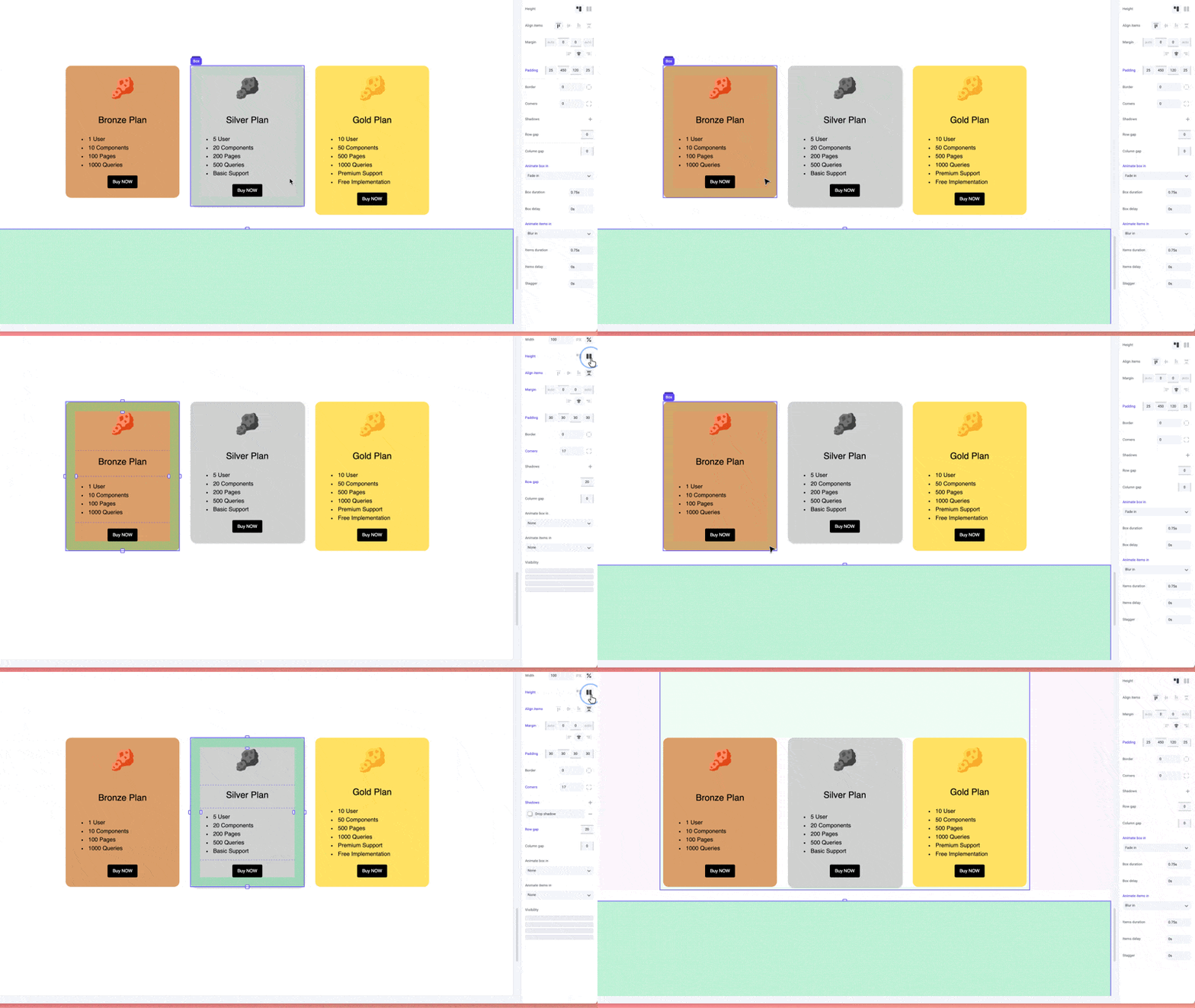
> Height allows you to set the height of a Box to be driven by its content or to stretch to match the tallest element in the same row.
By default, the height of a Box is set to be driven by its content using `auto`. Alternatively, you can select `Stretch` which will automatically stretch the height of a box to match the tallest element found in the same row.
 ## Pro tips
We suggest selecting `stretch` for elements like cards or grids where you want to ensure a consistent height across all elements. This will help to create a cleaner and more organized layout.
## Pro tips
We suggest selecting `stretch` for elements like cards or grids where you want to ensure a consistent height across all elements. This will help to create a cleaner and more organized layout.