> ## Documentation Index
> Fetch the complete documentation index at: https://docs.makeswift.com/llms.txt
> Use this file to discover all available pages before exploring further.
# Text styles
> Text styles allow you to save fonts, color, and formatting for text and reuse them across your site. For example, you can create text styles for page titles, subheadings, and paragraph text. If you need to change the text styles on every page in your site, you can easily do so within any page using text styles.
## Adding text styles
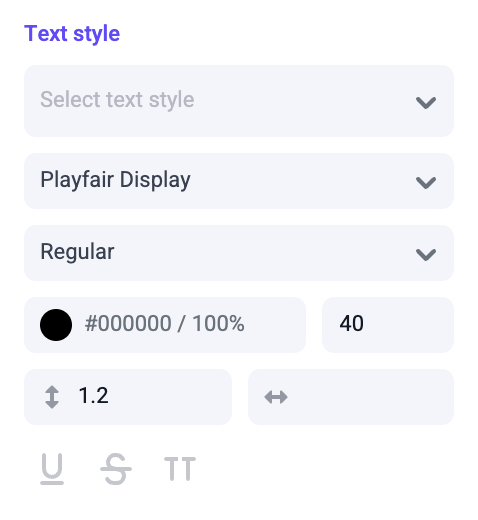
We recommend using text styles for **all** text on your site. To create a new text style, select text with styles you wish to save. All the options found in the "Text style" panel can be saved within a text style. You can also create a new text style from the Site tab in the right sidebar when no elements are selected.
Styles such as font family, color, font size, line-height, and letter-spacing
are saved together in a text style. Block tags such as "Paragraph" and
"Heading 1" are not saved in text styles.
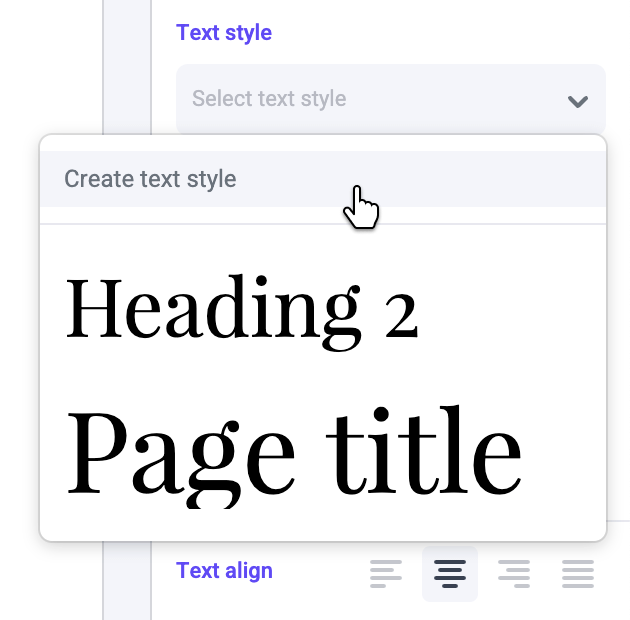
 With that text selected, open the text style dropdown and select "Create text style".
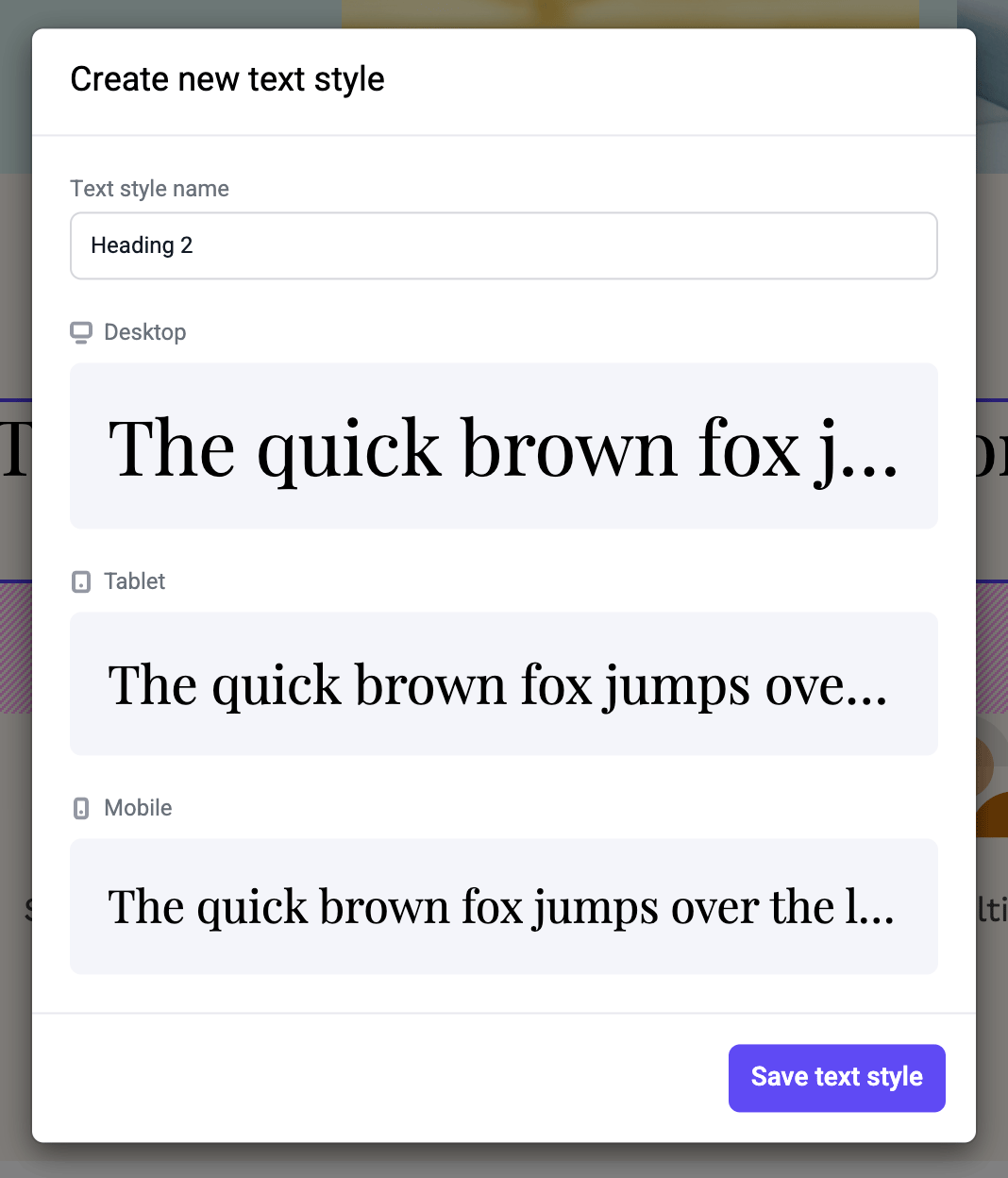
Options set for each device mode are also saved within a single text style.
With that text selected, open the text style dropdown and select "Create text style".
Options set for each device mode are also saved within a single text style.
 ## Applying text styles
To apply a text style, select an entire block of text, or just a single word. Open the text style dropdown and select a style.
## Applying text styles
To apply a text style, select an entire block of text, or just a single word. Open the text style dropdown and select a style.
 ## Overriding text styles
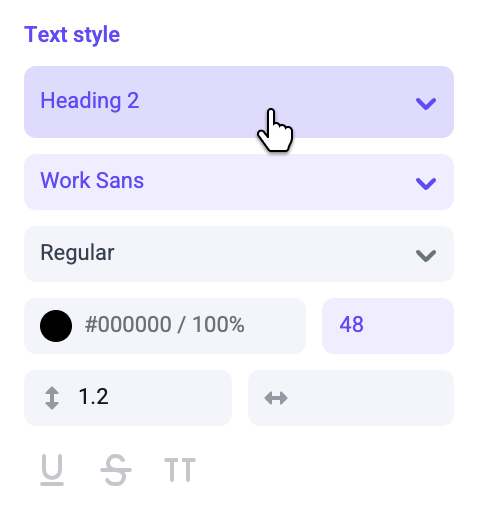
In some cases you may need to update a text style property without affecting the base text style. Select a piece of text using an existing text style. Edit any option in the "Text style" panel. Those updated inputs will turn blue, letting you know an override has been made to an existing text style.
For text styles that are identical except for color, we recommend using
overrides to change the color. This will make your text styles easier to
manage.
## Updating text styles
After an override has been made, you can update the text style to include the new properties. To apply these new text styles across your site, open the text style dropdown and click "Update text style." You can also update any text styles directly from the Site tab in the right sidebar.
## Overriding text styles
In some cases you may need to update a text style property without affecting the base text style. Select a piece of text using an existing text style. Edit any option in the "Text style" panel. Those updated inputs will turn blue, letting you know an override has been made to an existing text style.
For text styles that are identical except for color, we recommend using
overrides to change the color. This will make your text styles easier to
manage.
## Updating text styles
After an override has been made, you can update the text style to include the new properties. To apply these new text styles across your site, open the text style dropdown and click "Update text style." You can also update any text styles directly from the Site tab in the right sidebar.
 Text styles are published as separate resources from pages. Learn more about
[publishing text styles](/product/publishing#publishing-site-resources).
## Resetting typography styles
If you've overridden any text style properties, but want to revert to the original text style, open the text style dropdown and click "Clear overrides". You can also reset overrides by clicking the "Text style" panel label and selecting "Reset to base".
## Managing text styles
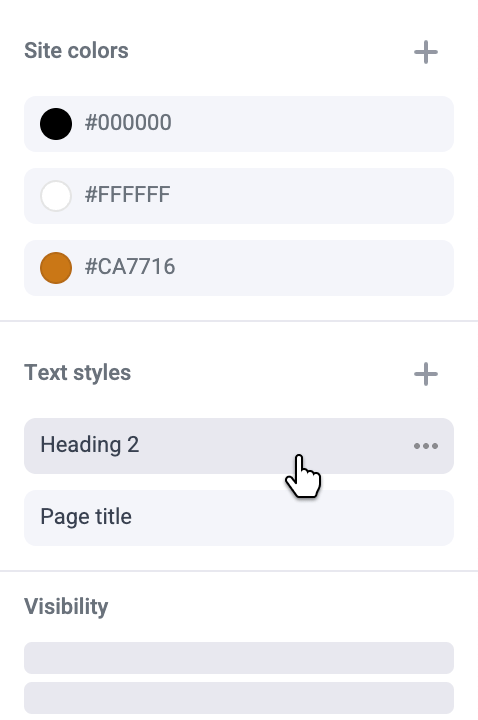
You can rename or delete a text style from inside the text style dropdown, or from the Site tab in the right sidebar.
Text styles are published as separate resources from pages. Learn more about
[publishing text styles](/product/publishing#publishing-site-resources).
## Resetting typography styles
If you've overridden any text style properties, but want to revert to the original text style, open the text style dropdown and click "Clear overrides". You can also reset overrides by clicking the "Text style" panel label and selecting "Reset to base".
## Managing text styles
You can rename or delete a text style from inside the text style dropdown, or from the Site tab in the right sidebar.
 Deleting a text style will remove the style from all text using it across your
entire site. **This action CANNOT be undone**. The text style will have to be
re-created and manually applied to every page to add it back to your site.
Deleting a text style will remove the style from all text using it across your
entire site. **This action CANNOT be undone**. The text style will have to be
re-created and manually applied to every page to add it back to your site.